How to keep your Squarespace website up-to-date (even on a tight schedule)
You finally launched your Squarespace website.
You ticked it off your to-do list. You popped the prosecco!
But… maybe it’s been a couple of months. Or even a couple of years, since you last updated your site.
Life happens.
And now it’s back to being a niggling item on your to-do-list.
This post is going to help fix that because:
if you’re a stats person - 81% of your visitors (that is, your future clients) will think less of your brand if your website content is out-of-date
Google loves when a site looks loved, and even small updates help your site get crawled more often which boosts your SEO.
Whilst there’s a huge amount of information available on WHY you should keep your Squarespace website updated, there’s not much at all about HOW to actually do it.
So here are some practical, simple suggestions for keeping your website fresh and current as a busy small business owner.
Short on time? Jump to:
Let your Squarespace website update itself
Social media plugins
This is an easy win.
By integrating your social media feed onto your website pages (in or above the footer is typically my go-to place) - every time you update your socials, your website gets a little update too.
Setting this up is super-simple on Squarespace because there is an in-built Instagram integration that automatically updates with anything you post.
Recently, for the Linkedin-ers, I’ve been loving this ElfSight widget which looks great and pulls your Linkedin feed directly into a page. If you’re regularly posting on Linkedin, this makes your website feel more dynamic and current.
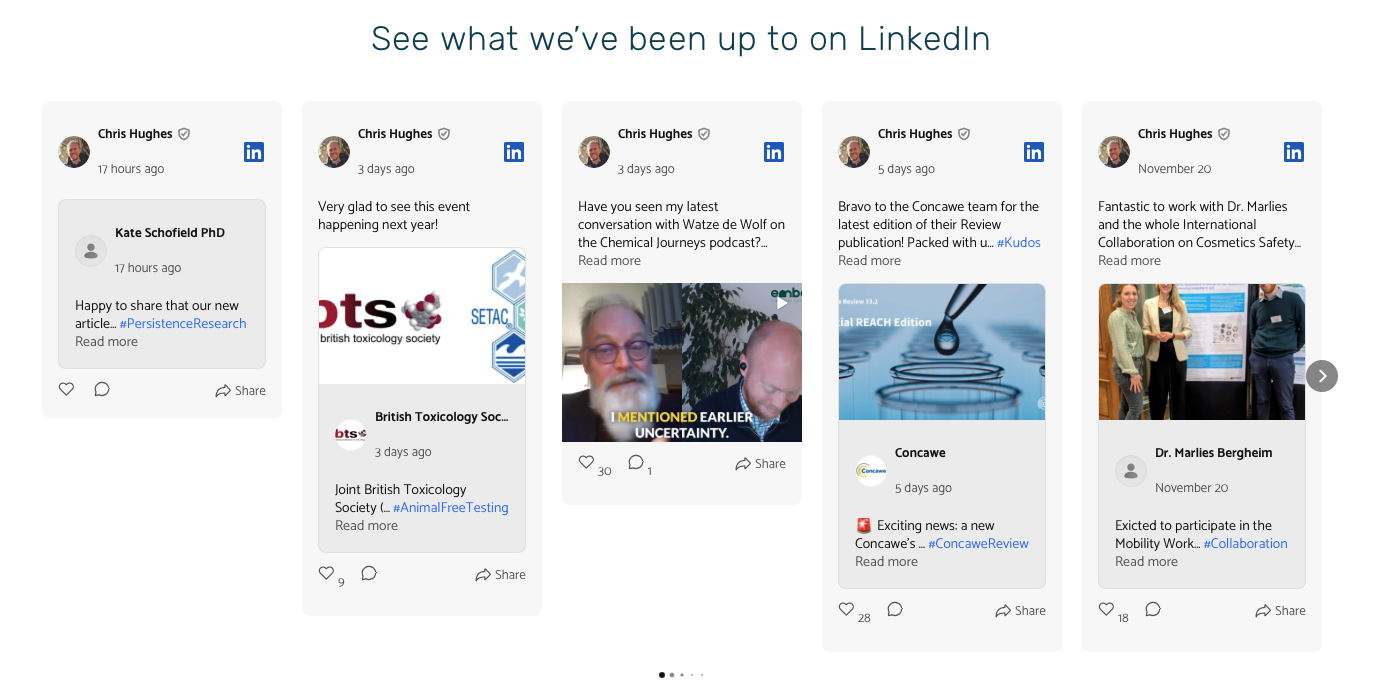
The Elfsight’s Linkedin Plugin on the Embark Chemical Consulting website shows all Chris’ recent Linkedin posts ↑
Review plugins
Embedding reviews onto your site not only keeps your website up-to-date with any testimonials you receive, but as an added bonus - it helps with your site SEO too.
I use an ElfSight widget for Google Reviews in Squarespace - and Testimonial.to have a great plugin too.
Even better, credible reviews are a factor in who Google recommends in its new AI overview feature so it’s really a win-win-option.
Focus on micro, 5-minute website updates
You absolutely don’t need to set a whole day aside to update your website.
Let’s be honest, quite often we don’t have a spare hour, let alone a day (anyone else feel that admin from the kids’ school could take up half the week in itself!)
Here are some quick 5 minute tasks for when you’re waiting for everyone to arrive on a Zoom…
swap one image
update one line of copy
refresh a heading
update a single testimonial
add a recent client logo
refresh your contact intro
change one FAQ answer
Over time, working through these regularly will keep everything feeling much more current.
Make sure your blog is working hard for you
Blogging is the perfect way to keep your website feeling up-to-date.
New to blogging? Read my post all about using Squarespace for blogging here.
Once your blog is set up, don’t leave your amazing blog posts hidden in your blog directory, waiting for people to find them. Sprinkle them across your website (in Squarespace we do this using the Summary block).
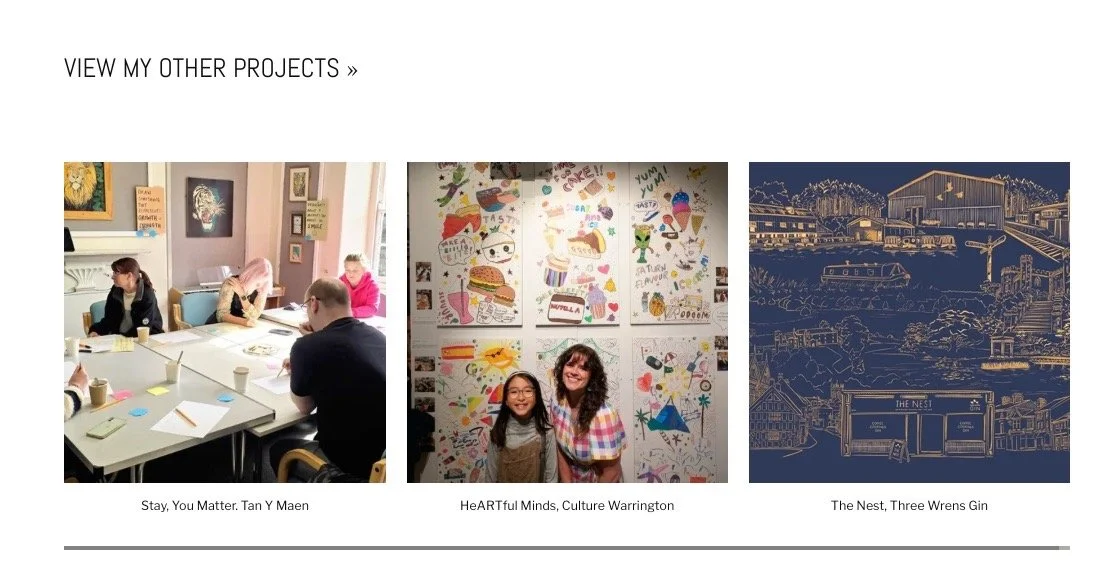
A Squarespace summary block on Stef Woof Illustrates’ website showcases the wonderful work on her project portfolio blog ↑
Add simple seasonal swaps
This idea is 100% borrowed from my lovely client, Becca at Upton Neuro Physio.
She has a gorgeous, local seasonal image on her homepage that she rotates to reflect the time of year.
This is such an intentional, personal touch. But this doesn’t need to be an image, it could be a section:
showcasing recent client work that fits the season (maybe festive shoots, spring branding, summer campaigns)
offering a seasonal downloadable or freebie
showing ‘monthly favourites’ or ‘currently loving’ section
These updates will just make your website feel more lived-in.
‘Finding time to update my website is hard’ (my top tips to fix that)
Finally, with the best will in the world, I understand that finding time to update your site is difficult.
My best advice is to use a website maintenance style that works for you. Here are a couple of methods to try, and see which one fits your ways of working the best.
The ‘set a monthly date method’
If you’re a routine person and want a reliable, no-brainer system then blocking out 1-2 hours a month to update your website might be perfect. During this time, you could focus on one task like writing and uploading a new blog post, or working through some of the micro changes I mentioned earlier.
It might be helpful to create a ‘live’ Google doc that you add to throughout the month whenever you have a idea of what needs updating. Then it’s all ready-and-waiting during your allocated time.
The ‘update when you finish a project’ method
This is ideal if you’re the kind of person who would rather strike while the iron’s hot and share fresh work or ideas there and then. Whenever you finish a project, receive a new testimonial or introduce a new service - update your website straight away so it’s done and dusted.
Book web designer ongoing support
If you know you’re going to struggle to keep your website fresh and up-to-date, speak to your web designer about their ongoing care offer. I offer a Website Care Plan for my clients who want help to update their sites which includes priority support, SEO recommendations and blog brainstorming - as well as tweaking anything that needs updating.
Keeping your website fresh doesn’t have to feel overwhelming.
The good news is, Squarespace makes it incredibly simple to keep your website current, which is one of the main reasons I love designing on the platform.
And many elements that make updates easy can be built right into your site from the start. That’s exactly what I do during the web design process: I create websites that not only look beautiful and perform well but are set up to keep themselves fresh, so you can focus on your business while your website works hard for you.
If you’d like to learn more about my web design package and prices - please click here for all the details…
Other blogs you may like to read: